Why this matters: In high-risk environments, every decision can mean life or death. This training equips you to protect yourself and your team every single day.
🚨 HAZARD RECOGNITION CHALLENGE
You've just arrived at your new workplace. Before we cover any safety rules, let's test your safety instincts. Study the warehouse image below carefully and identify ALL the hazards you can spot.
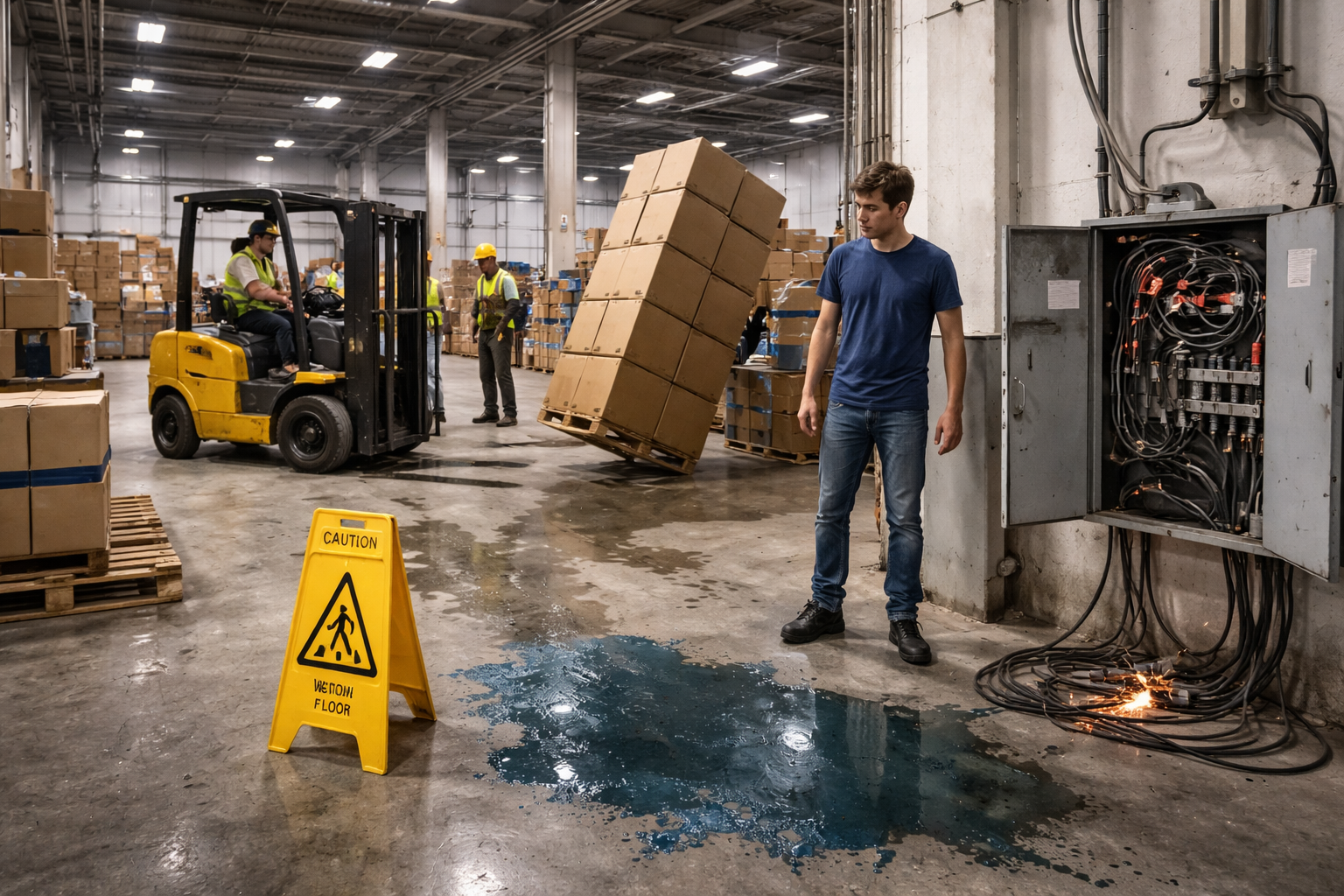
🏭 Understanding Your High-Risk Environment
High-risk work environments contain hazards that can cause immediate serious injury or death. Understanding these dangers is the foundation of your survival and the safety of your team.
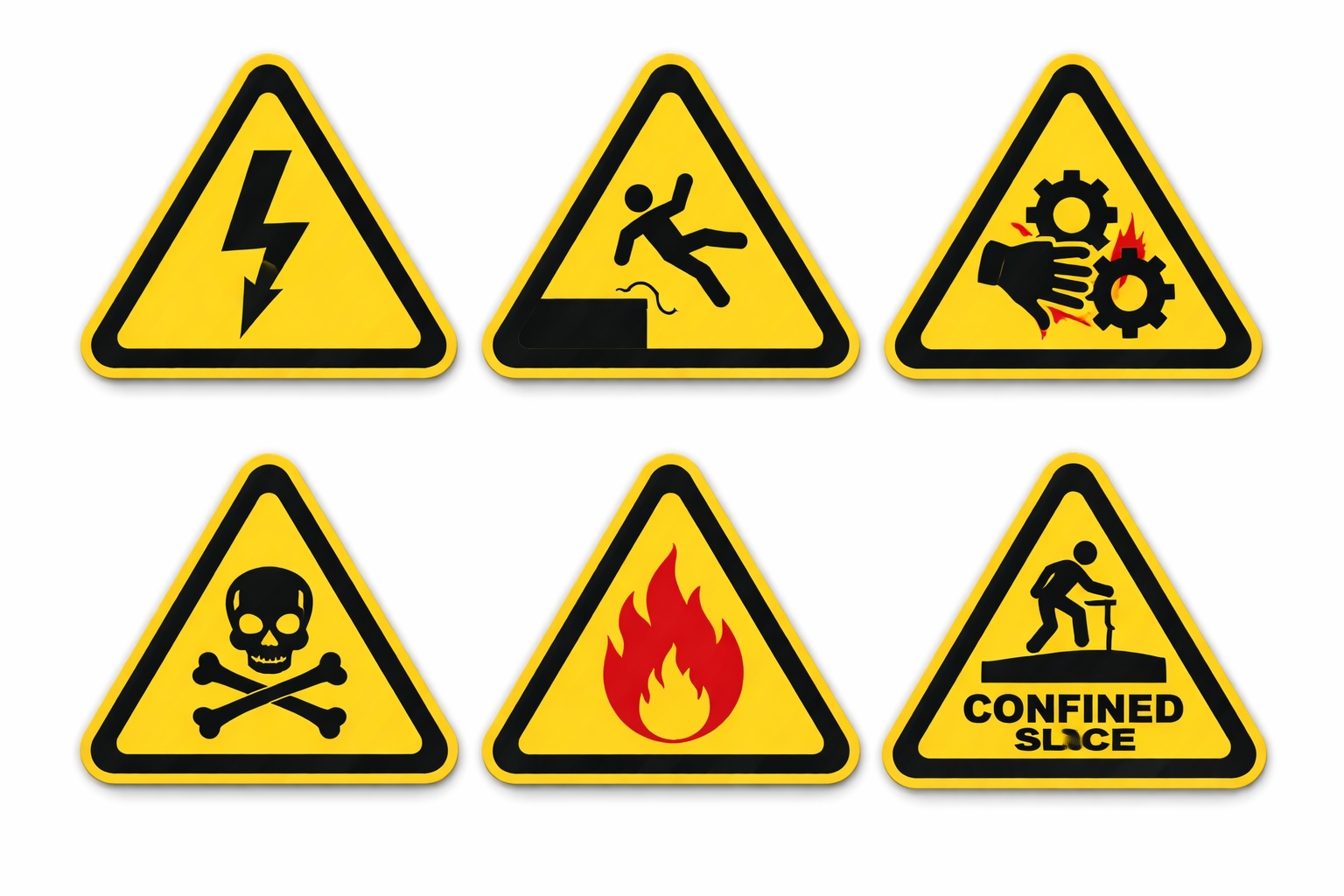
⚠ Six Critical Hazard Categories
Click each category to learn more:
🔒 Non-Negotiable Safety Rules
These rules are absolute. Violation of any rule can result in immediate termination and criminal liability. More importantly, violations put lives at risk—including yours.
🚨 The Cardinal Safety Rules
Review each rule carefully. Check each item once you've read and understood it:
⚡ Knowledge Check 1
You need to clear a minor jam in a conveyor system. Your experienced coworker says "Just hit the emergency stop and clear it—no need for the full LOTO procedure." What is the correct action?
🛡 Personal Protective Equipment (PPE)
PPE is your last line of defense. When engineering controls and administrative measures fail, PPE is what stands between you and a life-altering injury. Proper selection, inspection, and use are critical.
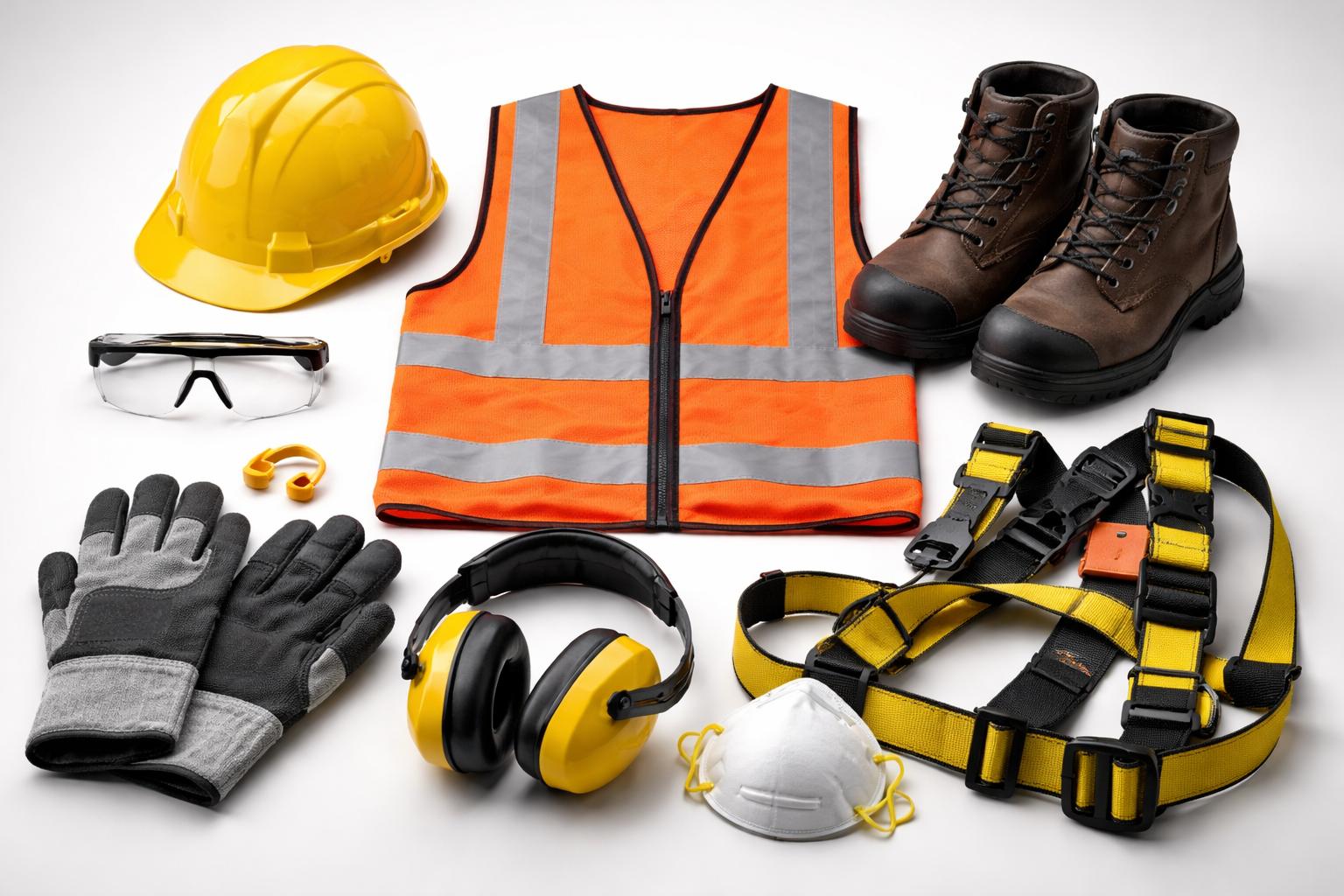
🔧 Mandatory PPE for All Personnel
- Eye Protection: ANSI Z87.1+ safety glasses with side shields; goggles or face shields for impact/splash hazards
- High-Visibility Clothing: ANSI/ISEA 107 Class 2 or 3 reflective vest or clothing in all vehicle traffic areas
- Head Protection: ANSI Z89.1 Type I Class G hard hat minimum; Class E for electrical hazard areas
- Safety Footwear: ASTM F2413 steel or composite toe boots; metatarsal guards and puncture resistance where required
- Hand Protection: Task-specific gloves (cut-resistant ANSI A2+, chemical-resistant, heat-resistant, arc-rated)
- Respiratory Protection: Fit-tested respirators (N95, P100, or supplied air) in designated areas; medical clearance required
- Hearing Protection: NRR 25+ earplugs or earmuffs in areas exceeding 85 dBA; dual protection above 100 dBA
- Fall Protection: ANSI Z359 full-body harness with shock-absorbing lanyard for work above 6 feet
- Pre-use inspection: Check for damage, wear, or defects before EVERY use
- Proper fit: PPE must fit correctly to provide protection; report fit issues immediately
- No modifications: Never alter, modify, or repair PPE—replacement only
- Damaged PPE: Remove from service immediately and report to supervisor
⚡ Knowledge Check 2
You arrive at work and notice a small crack in the shell of your hard hat from yesterday. What should you do?
🚨 Emergency Response Protocols
Emergency situations demand immediate, decisive action. Hesitation and panic kill. Training and preparation save lives. Know these procedures cold.
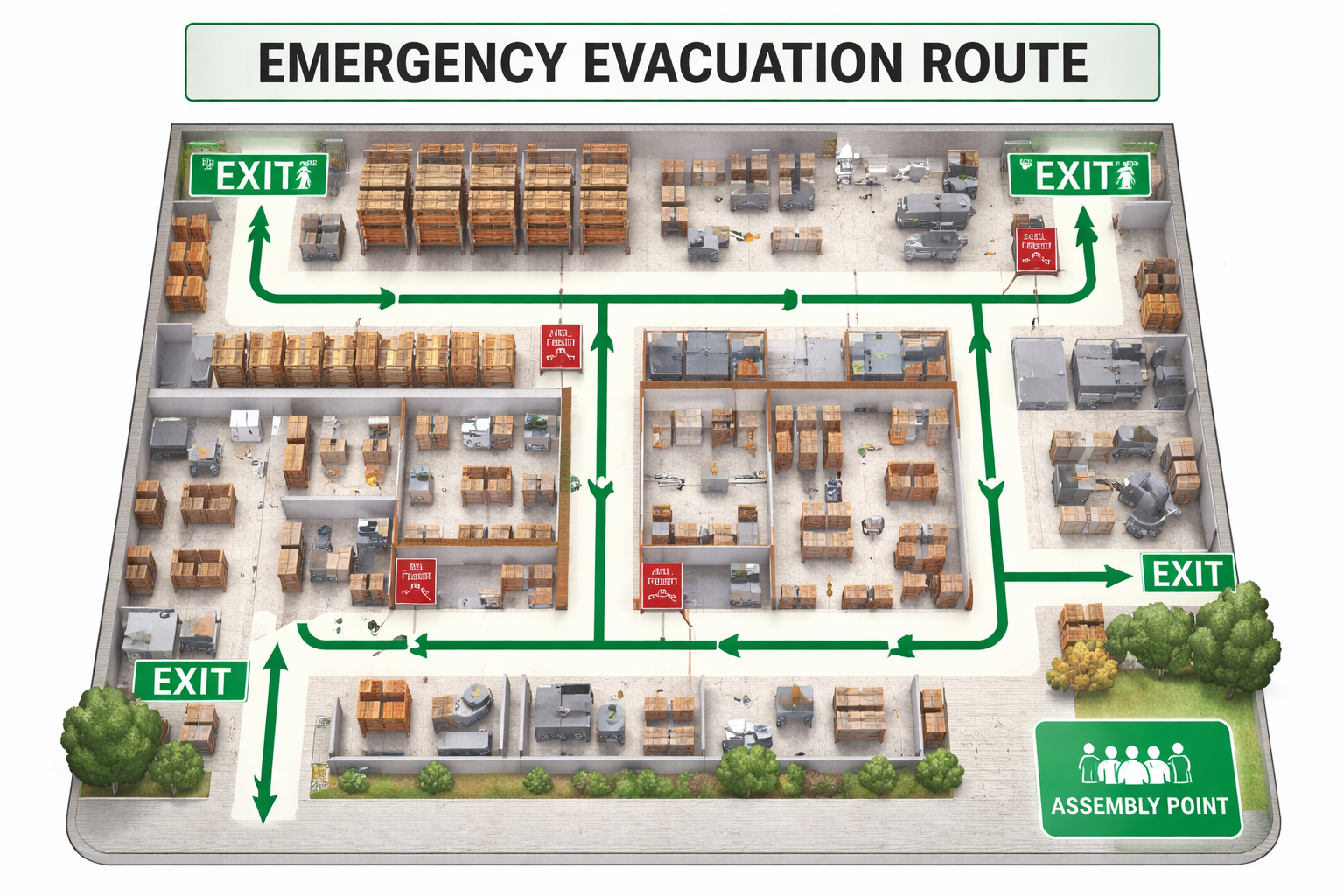
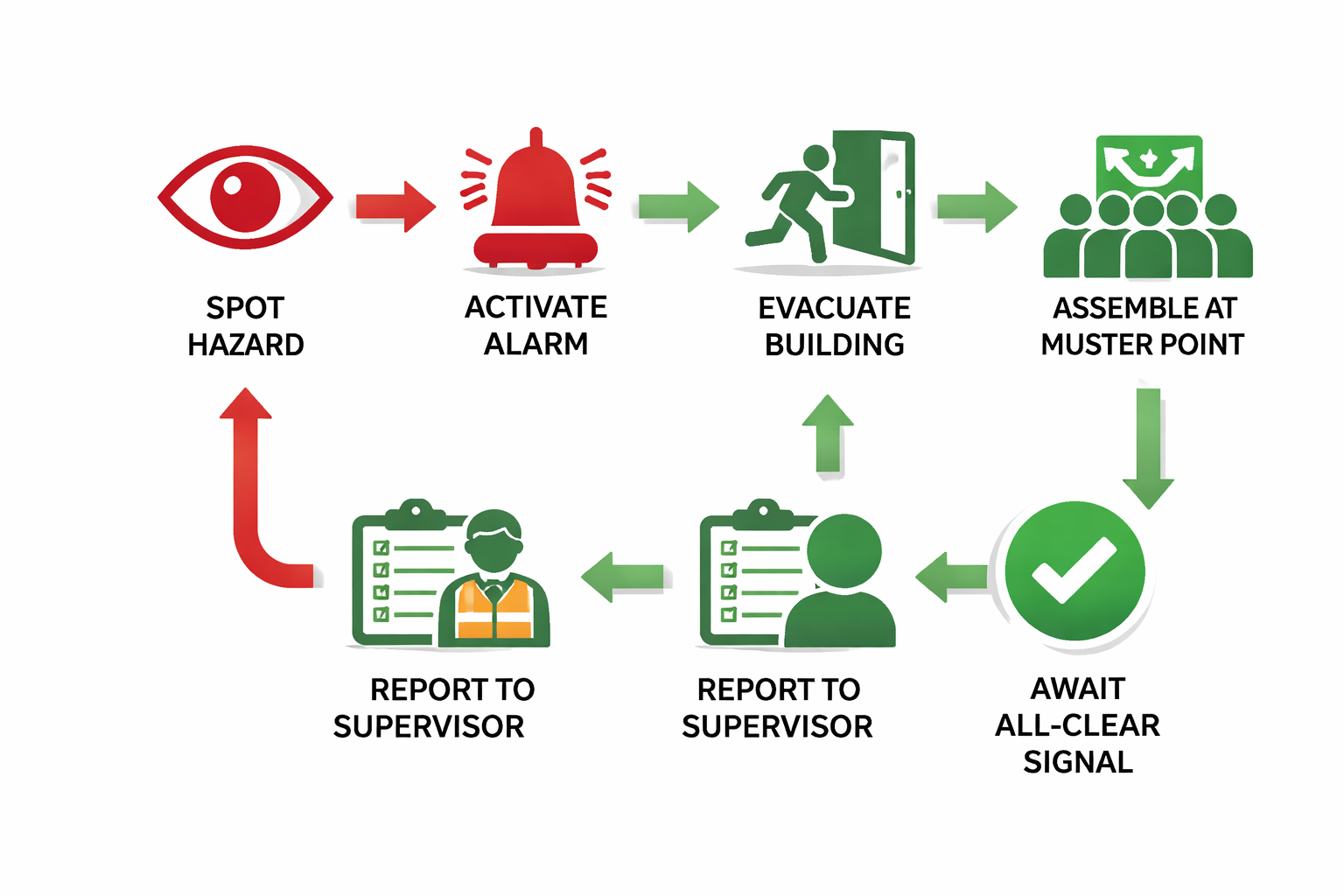
🔥 Emergency Evacuation Sequence
- Recognize the emergency: Fire alarm, chemical release, explosion, structural failure, or imminent danger
- Activate alarms: Pull the nearest fire alarm or emergency notification system if not already activated
- Alert nearby personnel: Shout "EMERGENCY! EVACUATE NOW!" to warn coworkers in your immediate area
- Shut down safely: If safe to do so (5 seconds or less), de-energize equipment to prevent cascading failures
- Exit immediately: Use nearest safe exit route; do NOT use elevators; stay low if smoke is present
- Report to assembly point: Go directly to your designated outdoor assembly area; do not stop for belongings
- Account for personnel: Check in with your supervisor; report missing or injured personnel immediately
- Await all-clear: Do NOT re-enter the facility until official all-clear is given by emergency coordinator
- Life-threatening emergency: Dial 911 FIRST, then notify site security
- Site Emergency Hotline: Extension 2222 (internal)
- Security: Extension 5555 for security incidents
⚡ Knowledge Check 3
During an emergency evacuation, you reach the assembly point but realize you left your phone and wallet inside. What should you do?
⚖ Unsafe vs. Safe Work Practices
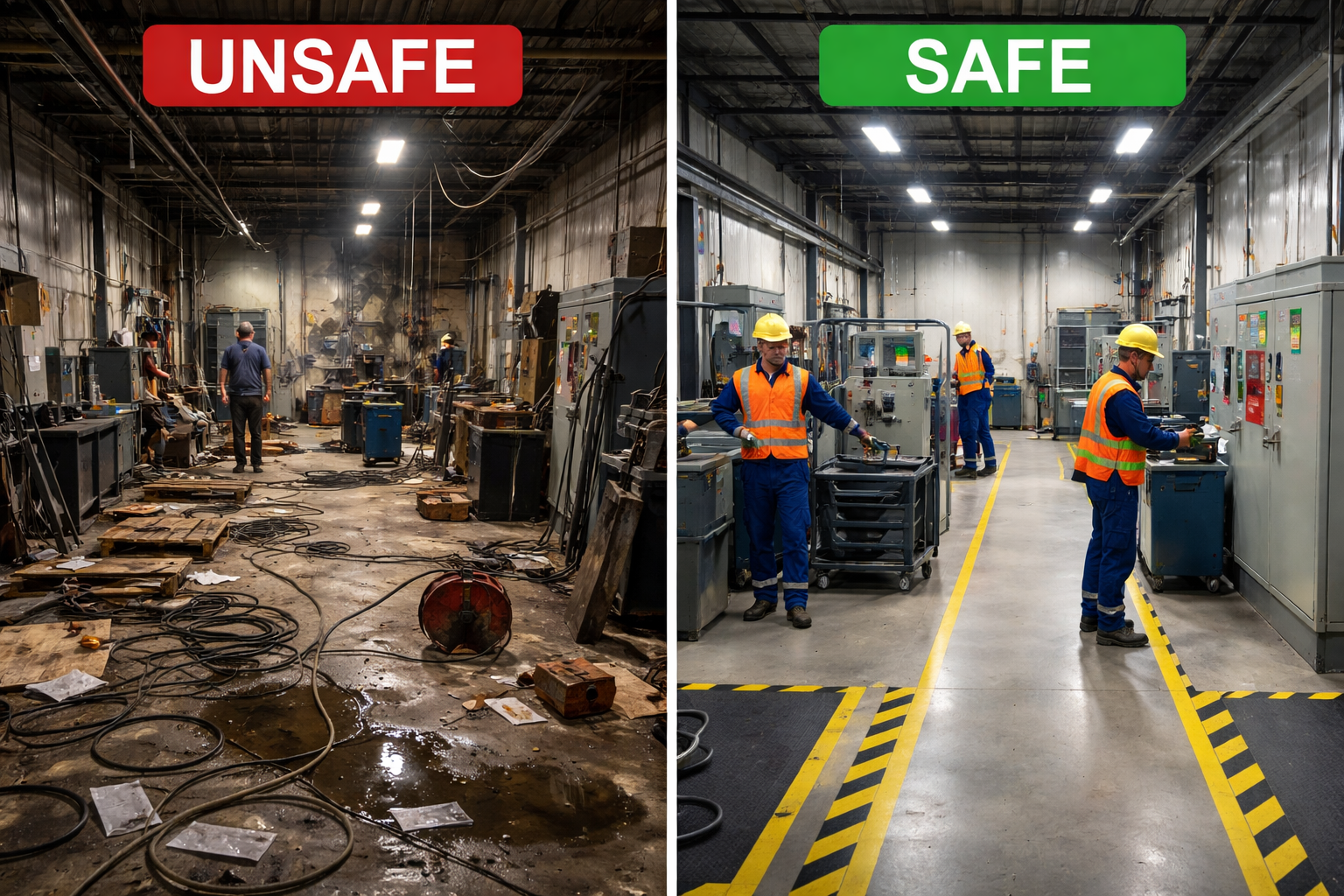
Understanding the distinction between shortcuts and proper procedures can save your life. These scenarios are drawn from actual incidents in high-risk facilities.
🔍 Key Differences to Recognize
- Housekeeping: Cluttered aisles with trip hazards vs. clear walkways with marked safety lanes
- PPE Compliance: Workers without proper gear vs. all personnel wearing complete, inspected PPE
- Equipment Status: Damaged cords, missing guards, bypass switches vs. maintained, inspected, fully functional equipment
- Signage: Faded, missing, or ignored warning signs vs. clear, visible, respected hazard communication
- Lighting: Dim, flickering, or insufficient illumination vs. bright, even, adequate lighting throughout work zones
- Chemical Storage: Unlabeled containers, improper segregation vs. properly labeled, segregated, contained storage
- Emergency Access: Blocked exits, obstructed equipment vs. clear exits, accessible emergency stations
🎯 Incident Prevention Best Practices
Most workplace incidents are preventable. A proactive safety culture depends on every team member taking ownership of hazard identification and risk mitigation.
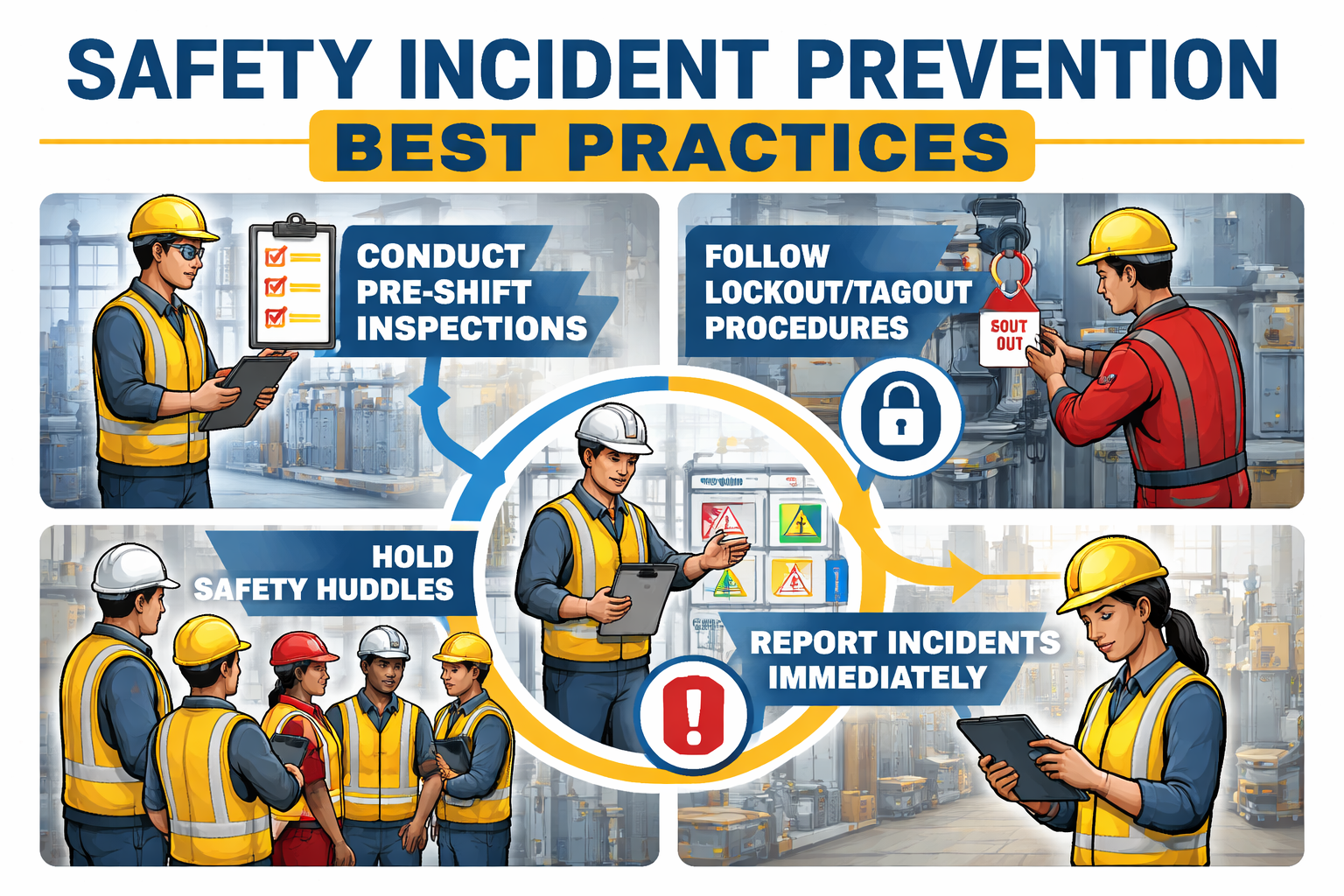
✅ Proactive Safety Behaviors
Commit to these behaviors. Check each one as you pledge to practice it:
📌 Key Takeaways
Before moving to the assessment, review these critical points:
📋 Safety Orientation Assessment
You are about to begin the final assessment. This test covers all material from the orientation.
Assessment Requirements:
- 5 scenario-based questions
- 80% passing score required
- You must select an answer before moving to the next question
- Review all material if needed before starting
📋 Assessment Question 1 of 5
Which of the following is an example of a mechanical hazard in a high-risk work environment?
📋 Assessment Question 2 of 5
According to the cardinal safety rules, what must you do if you discover a hazard during your shift?
📋 Assessment Question 3 of 5
Your safety glasses have a small scratch on one lens that slightly obscures vision. What is the correct action?
📋 Assessment Question 4 of 5
During an emergency evacuation, what is the PRIMARY reason you must report to the designated assembly point?
📋 Assessment Question 5 of 5
What is the primary purpose of reporting near-miss incidents (events where injury nearly occurred but didn't)?
🎯 Safety Orientation Complete
Your Score: —